
 For Google Drive™ · works in any browser
See your STL files from Google Drive
Open a 3D print model with one click and turn it around in your browser. The file goes straight from Google to your browser, or stays on your computer. It never passes through a server of ours, because there is none.
Drop a .stl or .obj file here
Up to . Nothing is uploaded.
No file at hand? Try a sample:
- Nothing uploaded
- No ads
- No account
See it straight from Drive
Right-click a model in Google Drive, choose Open with, and it turns in your browser. No slicer needed.
Weight and cost, free
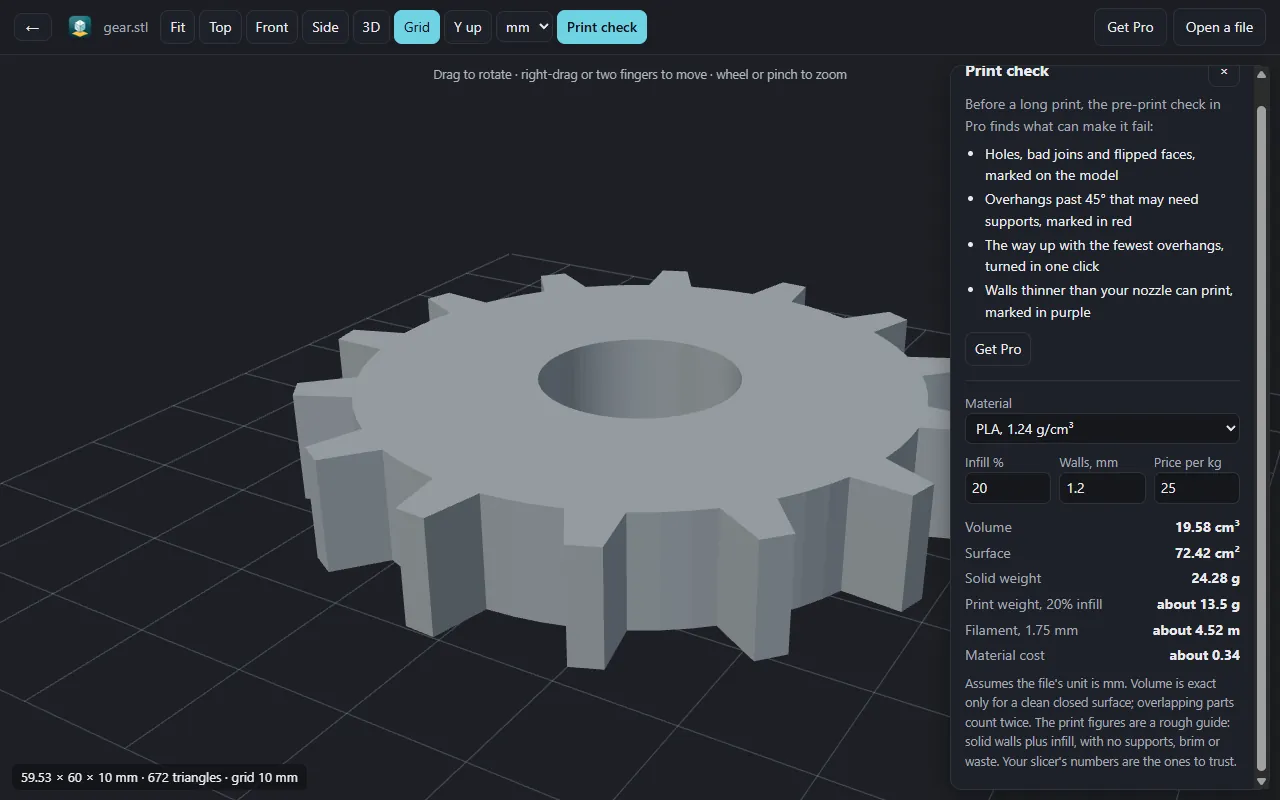
Volume, print weight, filament length and material cost, for your material and print settings.
Catch what fails a print
Pro marks holes, overhangs that may need supports and walls too thin to print, and finds the best way up.
Free, and Pro when you need it
Free
$0 no sign-up
- Open .stl and .obj, binary or ASCII
- Rotate, zoom, top, front and side views
- Size, volume, weight and cost estimate
- Files up to 400 MB
Pro
$9.99 one payment
- Holes, bad joins and flipped faces
- Overhangs that may need supports
- The best way up, in one click
- Walls too thin to print
Open it from Google Drive
In Google Drive, right-click a .stl or .obj file and choose Open with → STL Viewer. Connect once to add it to that menu. The app can only read the files you open with it.
Connected. In Google Drive, right-click a .stl or .obj file and choose Open with → STL Viewer.
Good to know
- An STL file does not say what unit it uses. The viewer assumes millimetres, and you can choose centimetres or inches.
- Shape only: colours, textures and materials are not shown. .3mf, .step and .gltf do not open.
- Up to 8,000,000 triangles and 400 MB, because a larger model can run your browser out of memory.
- It needs WebGL 2, which is on by default in current browsers. If it is off, the page says so and still gives the size and triangle count.