
 For Google Drive™ · works in any browser
Open .eml and .msg email files from Google Drive
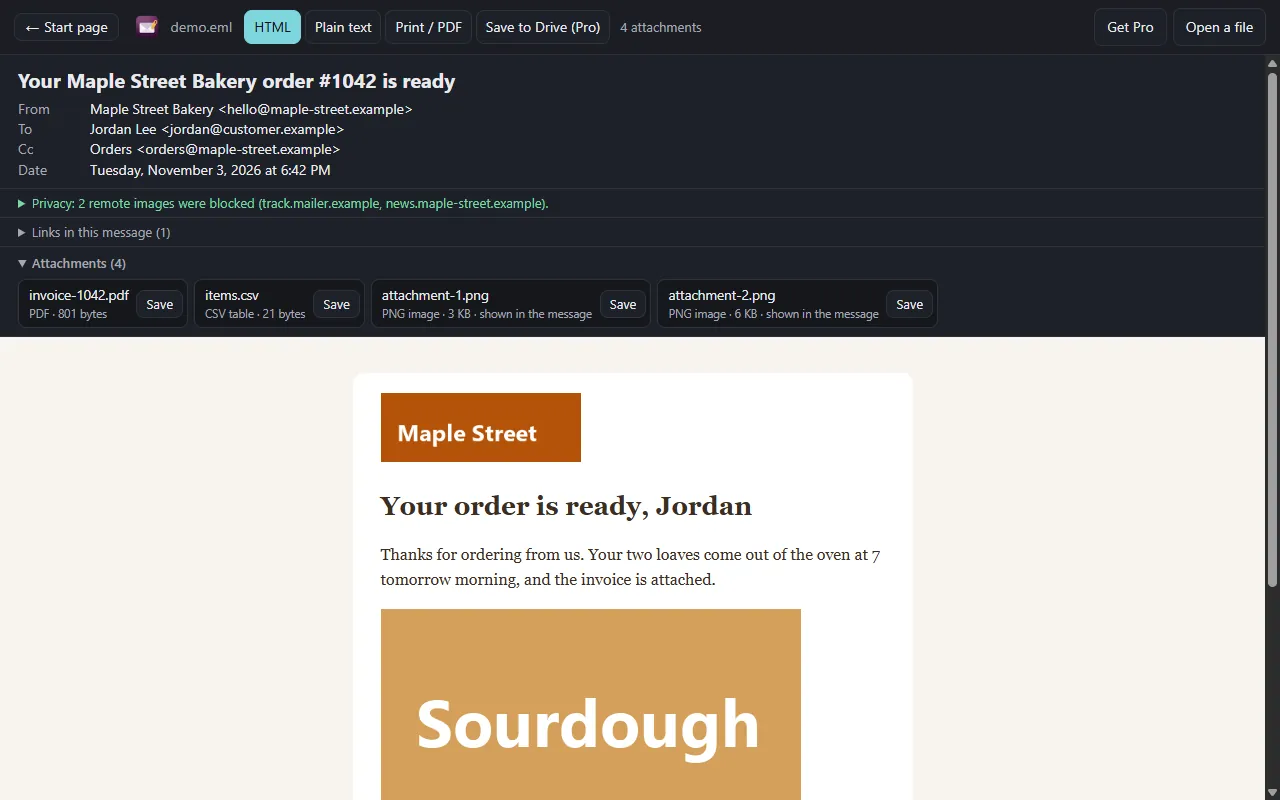
Read a saved email with one click, with no mail program and no Outlook. The file goes straight from Google to your browser, or stays on your computer. It never passes through a server of ours, because there is none.
Drop an .eml or .msg file here
Up to . Nothing is uploaded.
No file at hand? Try a sample:
- Nothing uploaded
- No ads
- No account
Every saved email
.eml from any mail program and Outlook .msg, with the pictures and the attachments inside. No Outlook needed.
Trackers stay blocked
Remote images never load, so the sender cannot tell you opened the message. Scripts in a message do not run.
Back into Drive
Pro saves the email as a PDF and every attachment as its own file in one click, into the email's Drive folder.
Free, and Pro when you need it
Free
$0 no sign-up
- Open .eml and Outlook .msg
- HTML or plain text view
- Save attachments to your computer
- Print the whole email, or save it as a PDF
Pro
$14.99 one payment
- Save the email as a PDF to Drive
- Save every attachment to Drive
- Into the email's own Drive folder, in one click
- Sender, date and attachments on top
Open it from Google Drive
In Google Drive, right-click an .eml or .msg file and choose Open with → EML & MSG Viewer. Connect once to add it to that menu. The app can only read the files you open with it.
Connected. In Google Drive, right-click an .eml or .msg file and choose Open with → EML & MSG Viewer.
Good to know
- Remote images stay blocked: there is no button to load them.
- Encrypted mail (S/MIME, PGP) cannot be read here. Its protected content is listed as an attachment.
- winmail.dat attachments are listed and can be saved, but are not unpacked. Mailbox files (.mbox, .pst) do not open.
- A message attached inside a .msg opens here, but cannot be saved as its own file.
- Files up to 150 MB, because a larger one can run your browser out of memory.